
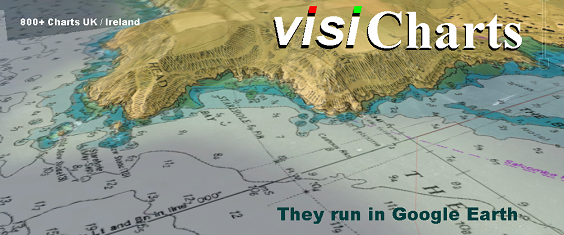
We can guarantee you'll never have seen UK navigation charts like this before because the VisiChart system has been developed by us here on the Isle of Wight. The combination of chart and satellite imagery is truly awesome, and can give a 3D perspective that is hard to match.
You will need:
1. A fast desktop/laptop machine, NOT A TABLET
2. The free version of Google Earth already installed, and preferably you will already be familiar with it. Google Earth PRO is free now...get it !
3. A fast broadband connection
Launch a VisiChart online:
1. Click on the VisiChart icon to the RH side after you close this window
2. A small download will commence, your pre installed Google Earth will fire up and "Fly to" the area. In some cases you will have to click the downloaded .kml file to launch Google Earth, depends on your browser set up.
IF your browser will not automatically launch Google Earth when you click on our GE icon (and maybe instead gives you a raw looking text file) you can set it up to work properly.. this explains how http://www.ourontario.ca/kml.html
3. A warning will be displayed ("Not for Navigation...etc".) Click OK
4. Warning goes away. NOW ZOOM IN SLOWLY UK-IRL-BE-NL-PT-ES areas only
5. Chart will render over the satellite imagery
6. Make sure you can find and understand HOW TO use the variable transparency slider. It lives in the RH Sidebar. Halfway down normally, just above "Layers". It only becomes active when a VisiChart is loaded. You may have to have a play around to find this... but its effect is astounding. You can "Fade out" the chart to reveal the satellite imagery under it.
8. Once familiar with all that, you will find you can use VisiCharts and Google Earth as a planning tool to make routes, waypoints, measure distances, etc
9. Like any new invention, visi Charts take a bit of getting used to. Play around with them, come back as often as you want. Once you have the measure of them and in particular how they react on your particular machine, we're sure you'll really enjoy using them. Always DELETE finished with chart links from Google Earth (or each time you start it you'll be bombarded with messages)